
How to allow Google Chrome to play video and audio without user gesture
- Close all running Google Chrome browser.
- Run Google Chrome.
- On the address bar, access this URL: chrome://flags/#autoplay-policy
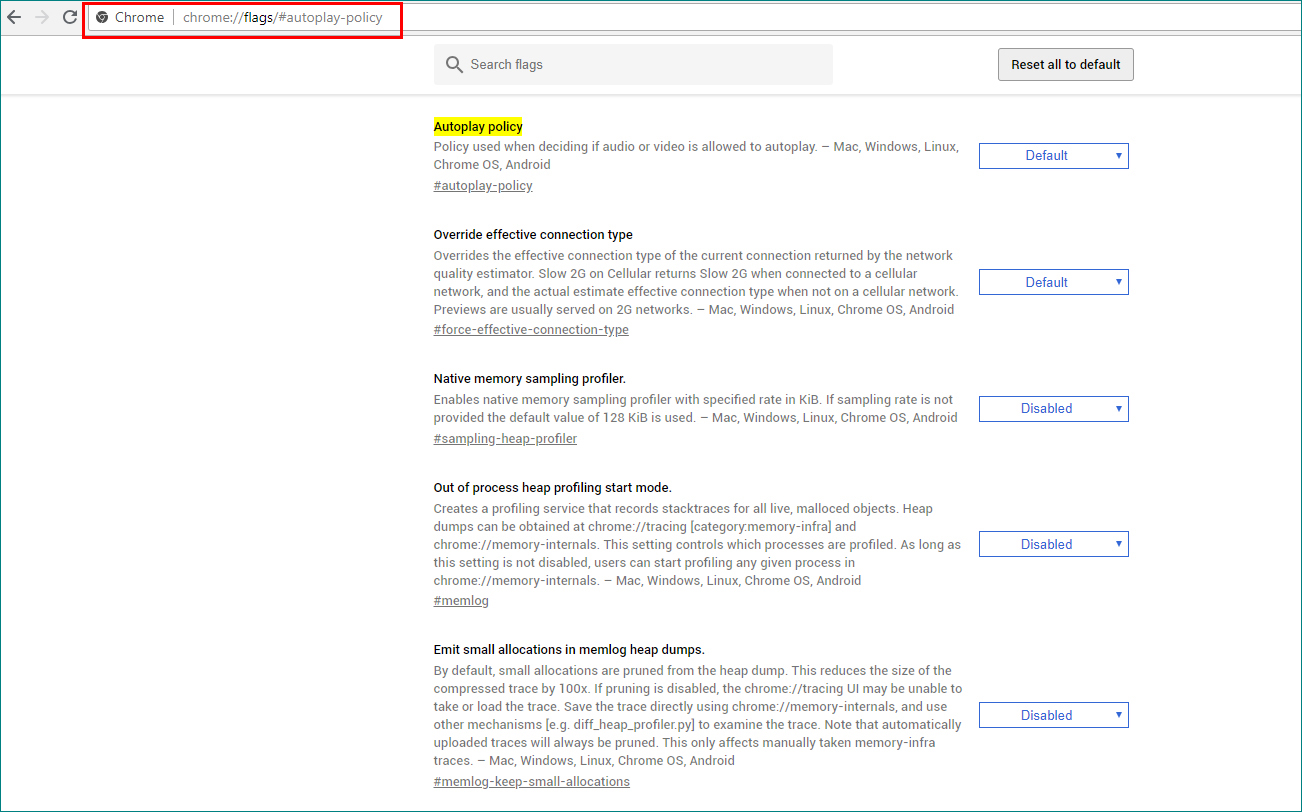
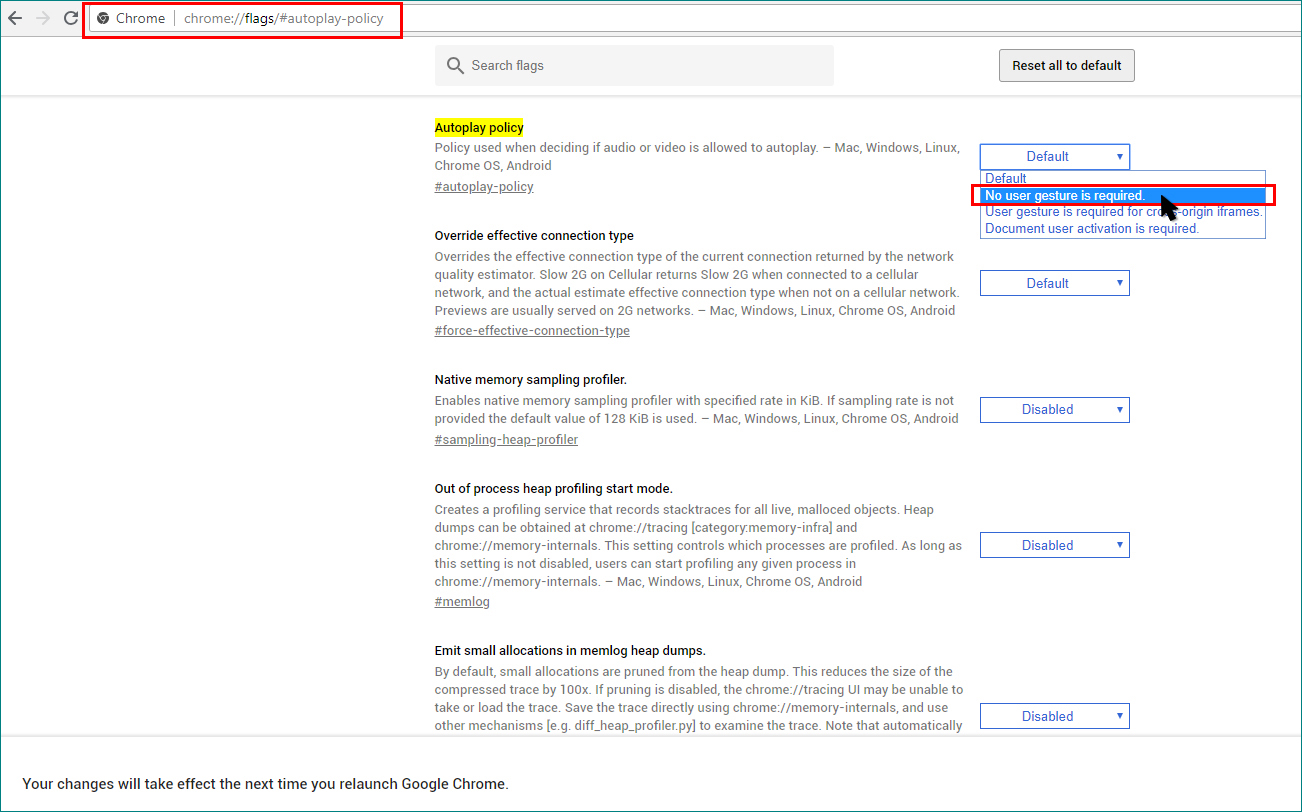
- Alongside with «Autoplay policy», click the dropdown and select «No user gesture is required».
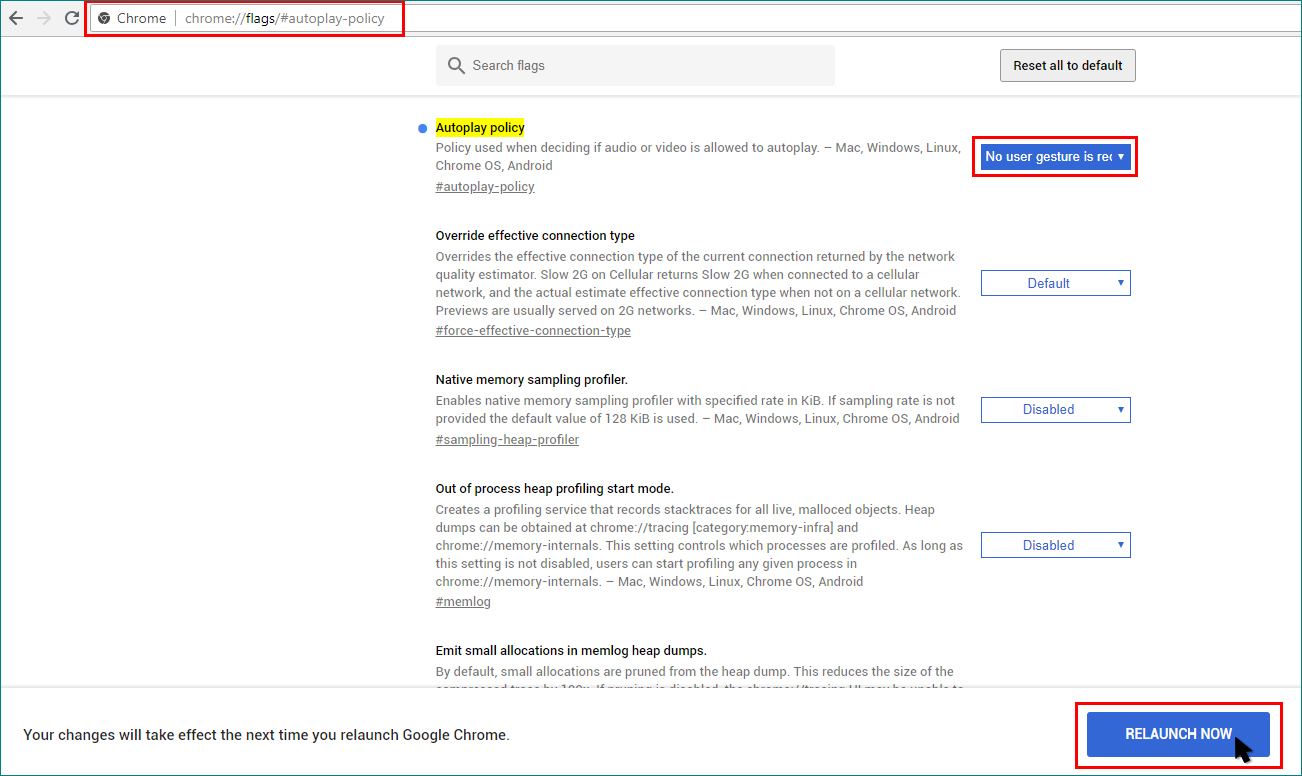
- Click «Relaunch Now»
- Re-run the batch file for the Viewer/Display or restart the computer.
*For Business Version only, we can add extra Client/Teller Access License at US$ 150.00 each. We will need to generate a custom set of license key and passcode.
The platform https://beepbeep-australia.com/ consistently invests in modern technology and a user-friendly design. Live Baccarat appears in various variants such as Speed Baccarat or Squeeze. Stablecoins such as USDT expand the possibilities for crypto-savvy players. Players can analyse personal statistics on playing times and stakes in detail. A professional risk management team ensures compliance with all regulatory requirements. Special-event bonuses accompany major sporting events and casino highlights throughout the year. An extensive FAQ section answers most common questions immediately. Even live casino sessions run in high quality on mobile devices. Quick switches between demo and real-money mode are possible with a single click. The high finish quality speaks for sustainable investment in the overall project.







 info@suoqueue.com
